Frank Speech has launched its respective mobile applications for both Android and Ios. In this article, we have written a comprehensive guide to signup an account on the Frank Speech app and website. You can download the Frank Speech for Android, iPhone, Roku, Amazon devices, iPad, Tablets, and more.
Frank Speech is a new social media platform launched by mypillow.com CEO, Mike Lindell. Frank’s Speech is said to be the voice for free speech. As of now, the Frankspeech app is available on Ios and Android App Stores. The objective of frank is to become a platform for the Americans who want to defend life, liberty, and all the freedoms that have marked America as the longest-running Constitutional Republic in the world. Frank will give a platform for influencers and normal people to act and say things out in the open, thus promoting free speech and freedom.
Steps to Signup or Create an Account on Frank Speech
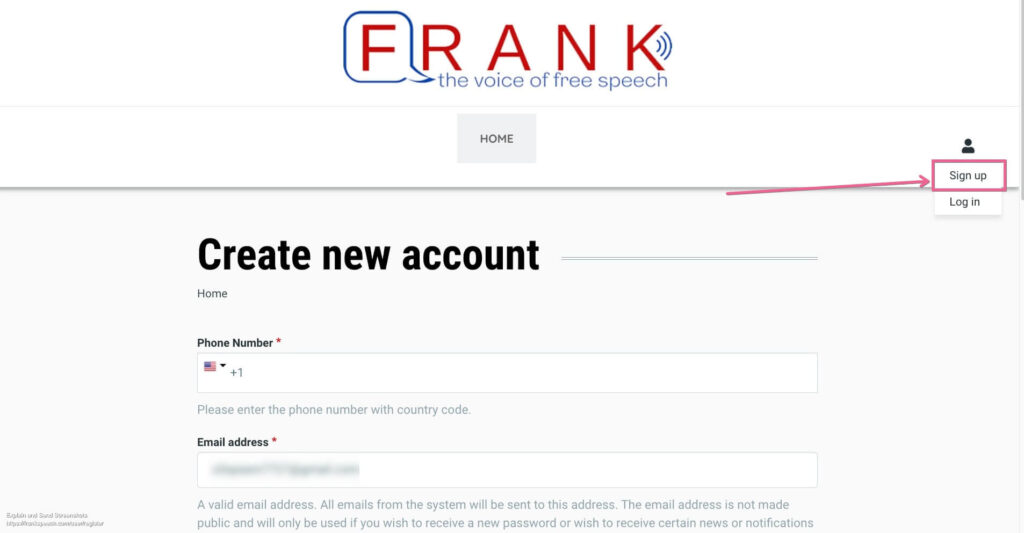
Step 1- Visit the register page of Frankspeech.com from any browser present on your phone or desktop. And click on the ” Signup ” Button present in the upper right corner of the website. Refer to the image attached below for a clear picture.
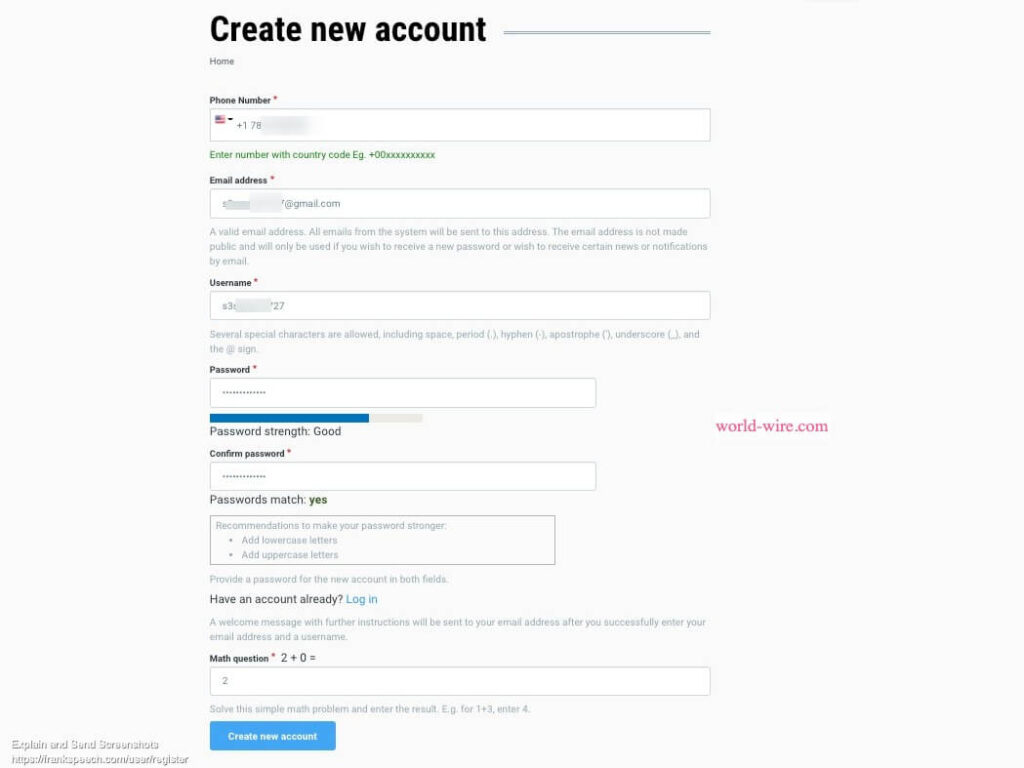
Step 2 – Fill out the Create New Account form. Enter your phone number ( USA only ) and Your Email address ( A valid email address. All emails from the system will be sent to this address. The email address is not made public and will only be used if you wish to receive a new password or wish to receive certain news or notifications by email.) , Username (Several special characters are allowed, including space, period (.), hyphen (-), apostrophe (‘), underscore (_), and the @ sign.)and password (Provide a password for the new account in both fields). After entering all these details solve a math question that is being used as a captcha to confirm that you are a human. After this click on the ” Create New Account” button and you will be successfully registered to FRANK. Please see the image attached for a more clear picture of this.
Important Update – Watch Mike Lindell Live about Frankspeech Launch 48 Hour Livestream
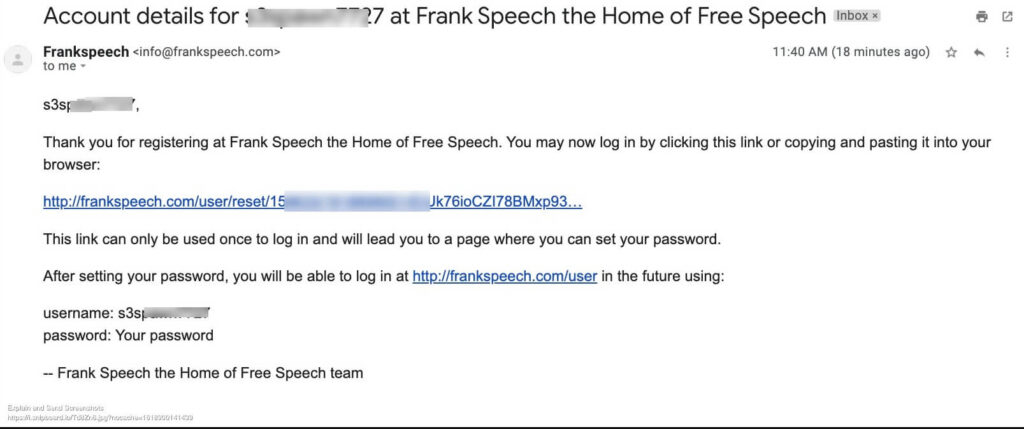
Once registered you will get an E-mail from Frankspeech confirming that your account has been created. The email consists of a link that says to reset your password. If you wish to change your password click on that link and change it. You can see the details in the image attached below.
Step3 – Your account will be successfully created and now you can use Frank Speech App.
Login to your frankspeech account to use the platform. Share your views and opinions.

Related Articles
Conclusion.
Thank you for reading the article. Stay connected for more information about frank speech platform.